Published test runs · conditions included
What actually happenswhen the text is burned in.
Most tool pages show a tidy before-and-after of a logo on a plain wall. That tells you nothing about your footage, which is a person talking in front of leaves, or a street with people walking through the lower third.
So this page is different. Every clip below is a real run. We start from footage that has no text in it at all, burn the captions on ourselves, and send the file to the model with no manual hints. Because we know what the clean frames look like, we can measure how much of the picture came back — and show you the cases where it did not.
What we are not claiming
We have not tested other products, so we do not compare ourselves to any of them by name. The alternatives shown below are reproductions of common workarounds — a blur box and ffmpeg’s delogo filter — generated by us from the same source file, so the comparison is like for like. Two of the three cases below are ones you should not use this tool for. They are here on purpose.
Two-line caption over fallen leaves
Dry leaves and grass fill the frame edge to edge. Every square centimetre is high-frequency detail, and the shot has a shallow depth of field, so the bottom third is already out of focus.
What worked
The caption is gone and the frame holds together at normal viewing size. The repaired band reads as the out-of-focus foreground it sits in.
What did not
At 100% the reconstructed area is smoother than the real leaves around it — leaf veins are not regenerated, they are approximated. If you are grading this footage, you will find the patch.
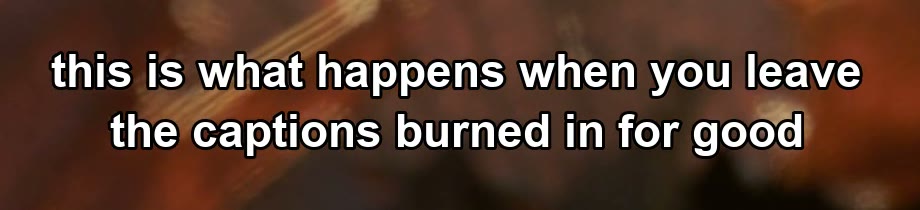
Input
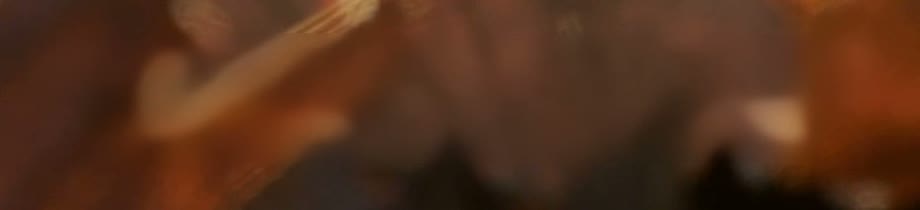
Result
Test conditions+
- Source
- Mixkit stock footage, no text in the original
- Resolution
- 1920 × 1080, 23.976 fps
- Clip length
- 10.0 s (240 frames in, 300 out)
- Caption
- 2 lines, Arial Bold 46 px, white with 3 px black stroke, centred at 74% height
Caption with pedestrians walking behind it
A busy street at dusk. People cross the lower third continuously, so whatever sits behind the caption is different in every frame — there is no stable background to reconstruct from.
What worked
The pavement is rebuilt cleanly and the text is completely gone. At normal size the result reads as motion blur.
What did not
This is where the model fails. Pedestrians who passed behind the caption are smeared into soft vertical ghosts — their legs and bags never come back. At 100% it is obvious. If your footage has people or vehicles crossing the caption, expect this.
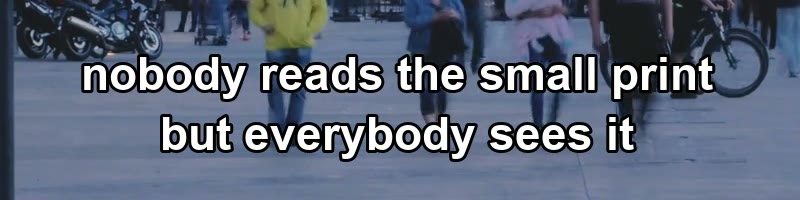
Input
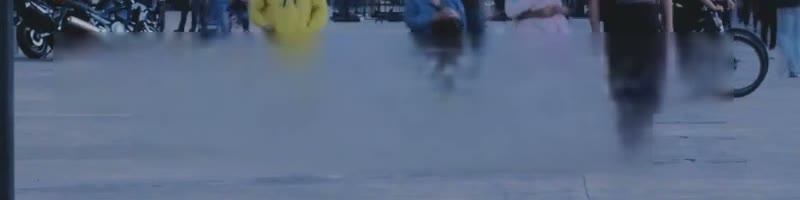
Result
Test conditions+
- Source
- Mixkit stock footage, no text in the original
- Resolution
- 1920 × 1080, 23.976 fps
- Clip length
- 10.0 s (240 frames in, 300 out)
- Caption
- 2 lines, Arial Bold 46 px, white with 3 px black stroke, centred at 78% height
One-line caption over a wooden deck, 9:16
A vertical clip, the shape every short-form platform uses. The caption sits over a pier deck: parallel planks with hard, regular edges, plus water and thin mooring posts behind them.
What worked
The caption is removed completely, and at normal viewing size the deck looks continuous. On a phone screen this passes.
What did not
The repair is a flat fill, not planks. Zoom to 100% and the caption area is a smooth, slightly brighter rectangle with no plank edges — the model did not rebuild a linear pattern, it averaged it away. This scored 20.5 dB, only 1.3 dB above a plain blur box. If your caption covers anything with strong regular structure — planks, tiles, railings, brick — expect this.

Input

Result
Test conditions+
- Source
- Mixkit stock footage, no text in the original
- Resolution
- 1080 × 1920 (9:16), 24 fps
- Clip length
- 10.0 s (240 frames in, 300 out)
- Caption
- 1 line, Arial Bold 44 px, white with 3 px black stroke, centred at 80% height
The same frame, four ways
One source file, one caption, four treatments. All four crops are 100% — no scaling, no retouching. The score under each is the average PSNR against the clean reference inside the caption box: higher means the pixels came back closer to what was really there.
Captioned input
What you upload. The text is opaque; everything under it is gone.
Unusable — the text is still there.
Edge interpolation
ffmpeg's delogo filter: fill the box by stretching the pixels at its border inward.
Vertical streaks survive where the letters were. This is the ghosting people complain about.
Blur the area
Heavy gaussian blur over the caption band — what most editors do by hand.
A visible rectangular smudge. It also destroys detail that had nothing to do with the text.
This service
this serviceFrame-level reconstruction, standard tier, no manual hints.
No streaks, no box. The repaired band is softer than the surrounding detail — visible at 100%, not at normal size.
Reading the numbers. The ceiling is 37.4: that is how closely the pipeline reproduces areas it never touched, i.e. pure re-encoding loss. Nothing can score higher, because the output is always a fresh encode. Our repair reaches 28.3, about 10 dB above the best workaround — roughly a tenfold reduction in squared error — and about 9 dB below the ceiling. That gap is the part of the picture that did not come back.
These four numbers come from a single controlled run: the source was converted to 30 fps before the caption was burned in, so the input and the output share a frame rate and the comparison is not polluted by frame-rate conversion. The videos above are the original 23.976 fps runs.
How these were run
- 01
We start from stock footage that has no text in it at all. That gives us a clean reference: the exact frames the model is trying to recover.
- 02
We burn the captions on ourselves with a known font, size, stroke and position, so the input is identical for every method we compare.
- 03
The captioned file goes to the model unchanged. No pre-processing, no manual region hints, no retries with different settings.
- 04
We compare the output against the clean reference frame by frame, and report the average PSNR inside the caption box and outside it. The code that does this is the same code that produced the numbers below.
- 05
Timing: a ten-second 1080p clip finishes in roughly two to three minutes on an idle queue. One run here took longer because four jobs were submitted at once, and the 9:16 clip took about fourteen minutes against two and a half for the 16:9 clips. We have not isolated whether aspect ratio or queue position caused that, so we are not publishing per-clip timings as a benchmark.
- 06
Audio: a separate run on a clip with a soundtrack produced an output whose audio packets hash identically to the input. The track is passed through, not re-encoded. Video is not: the output is always a fresh 30 fps encode, which is why the PSNR ceiling below is not infinite.
Shared settings
- Endpoint
- erase-video-subtitle (standard tier)
- Mode
- Subtitle — automatic detection, no manual box
- Model
- Provider default for the standard endpoint
- Test date
- 28 October 2026
- Source footage
- Mixkit stock clips, used under the Mixkit Free License (free for commercial use). They contain no text in their original form — the captions in these clips were added by us.
Where this does not work
From these runs and from the jobs we see failing, these are the cases that will disappoint you. We would rather you find out here than after paying.
- Subjects crossing behind the caption. People, cars, animals — anything that moves through the caption band gets smeared instead of restored. Case 02 is this failure.
- Strong regular structure under the caption. Planks, tiles, railings, brickwork, text on a grid — the model averages them into a smooth patch instead of continuing the lines. Case 03 scored 20.5 dB, barely above a blur box.
- Large captions over detailed texture. The model approximates the texture rather than regenerating it. At 100% you will see a smooth patch where leaf veins, brick or fabric weave used to be.
- Text that is part of the design, not an overlay. Lower-thirds with graphics, animated title cards, logos — these are not captions, and automatic detection will miss them. Draw a box instead.
- Handwriting and stylised fonts. Automatic detection is tuned for the plain sans-serif captions that platforms burn in.
- Heavy compression. If the source is already blocky around the letters, the model inherits the blocking. Re-exporting at a higher bitrate before uploading helps more than any setting on our side.
Try it on your own footage
Your first minute is free, so you can run the hard case yourself instead of trusting ours. If your clip looks like case 02, you will see the ghosting on your own file in a couple of minutes.